Notes /
From AI Art to 3D Parallax Live Wallpapers on Android (without the stretched edges and halos)
I split AI portraits into clean layers and a per-vertex 3D relief mesh, then built a tiny zero-permission Android engine so tilt no longer stretches the edges or leaves halos.
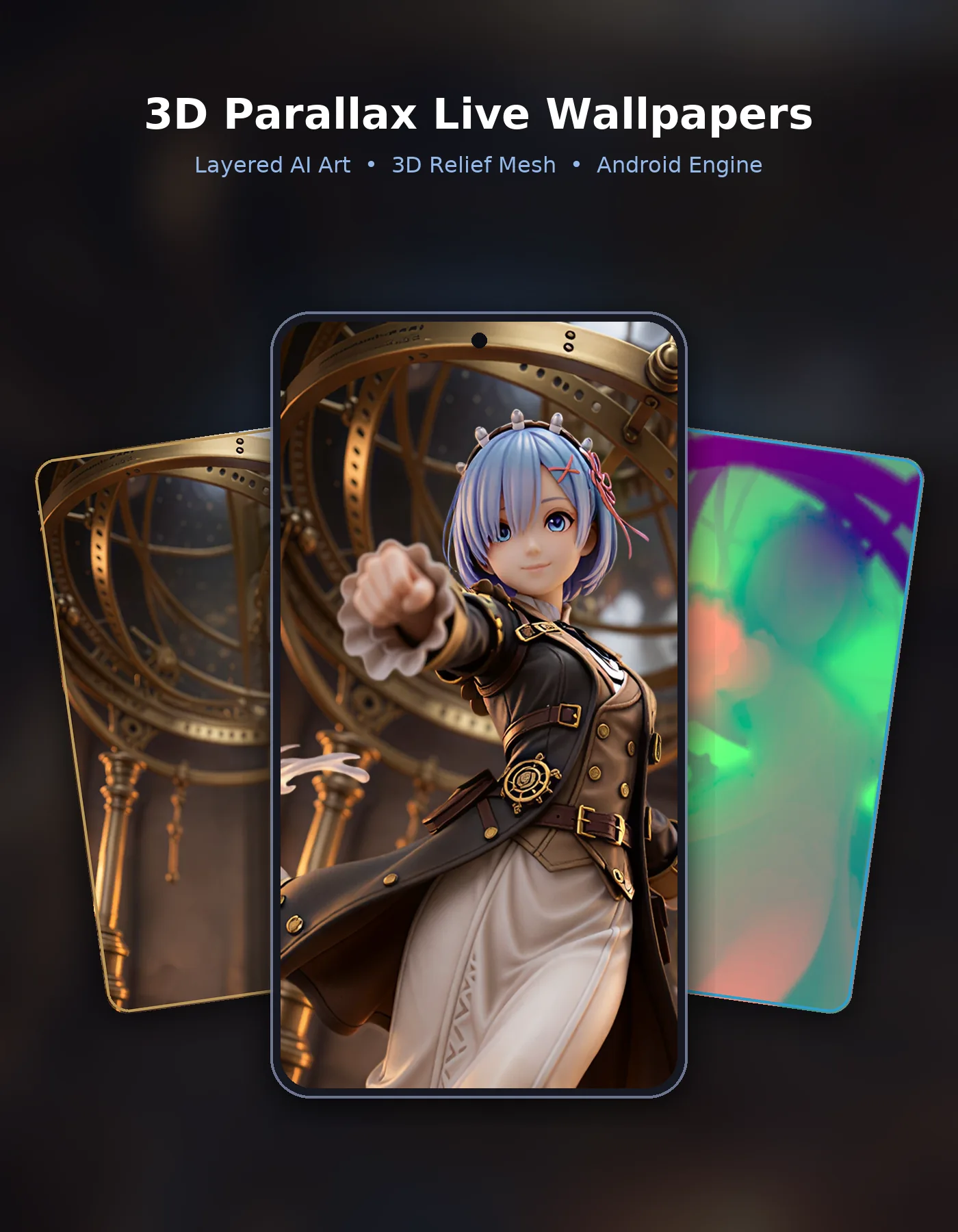
If you’ve ever tried turning an AI-generated portrait into a 3D parallax phone wallpaper using a single depth map (MiDaS / Depth Anything), you already know how it ends:
Tilt the phone ten degrees and the background right behind the hair stretches like melted taffy. Soft depth edges leave dark halos around the silhouette, and wherever the camera tries to peek behind the subject, you get disocclusion tears because those background pixels simply don’t exist in the original image.
Instead of fighting single-image depth warps, I split the wallpaper into clean layers + a per-vertex 3D relief mesh, and built a tiny, zero-permission Android WallpaperService to render it smoothly while visible and stop all sensor/render work the instant the screen turns off.
Here’s the full pipeline — plus the open-source, self-buildable Android engine (~184 KB APK, 2 pure-Java files, no Gradle, no INTERNET permission) so you can compile it yourself.
1. Why Single-Image Depth Maps Break (and How Layering Fixes It)
A single image + depth map tries to fake 3D from one flat sheet. As soon as the foreground shifts sideways relative to the background, the renderer has to stretch the boundary pixels across the gap.
The fix is straightforward:
- Far plane (bg.jpg / bg.png): The background with the subject cleanly removed and inpainted. When the subject shifts left or right, real background pixels are revealed behind them — no stretching, no halos.
- Near plane (fg.webp / fg.png): The subject cutout with clean alpha transparency.
- Per-vertex 3D relief (relief.png): A 2-channel depth relief map (R = foreground depth, G = background depth, centered at 128) that warps a 61 × 135 mesh on each plane independently. The map is lightly smoothed and tapered back to neutral (128) at the borders so the mesh never folds and edges stay safely inside the zoom margin.
- Depth-layered motes + optional wind sway: Ambient light particles drift between bg and fg as well as in front of fg, selling the depth immediately even with subtle tilt.
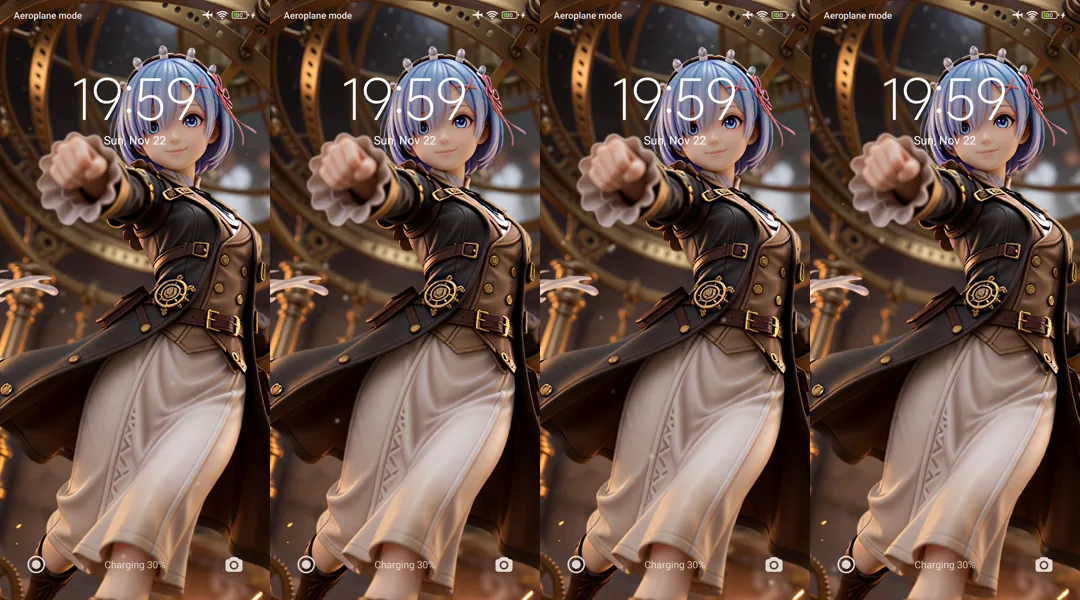
2. Preparing the Assets (ComfyUI or Any Local Pipeline)
You don’t need any special model to create scenes for this engine - any portrait wallpaper (around 9:20 aspect ratio) works:
- Generate the base portrait at your phone’s aspect ratio (around 1080–1280 px wide is plenty).
- Extract the subject cutout (fg.png) using your preferred background remover (RMBG / BiRefNet / Inspire / etc.).
- Inpaint the clean background (bg.png) using the inverted subject mask (dilated by ~12–20 px so no halo remains around hair or clothes).
- (Optional, recommended) Generate a grayscale depth map (depth.png) with Depth Anything V2/V3 (bright = near, dark = far).
Packing into a .wpbundle
The repository includes a small helper script (tools/pack_bundle.py) that converts your standard grayscale depth map into a zero-centered, border-tapered 2-channel relief.png, builds a preview thumbnail, and packs everything into a .wpbundle archive:
python3 tools/pack_bundle.py \
  --bg bg.png \
  --fg fg.png \
  --depth depth.png \
  --title "Clockwork Rem" \
  --tint "244,213,191" \
  --out clockwork_rem.wpbundle
3. Inside the Custom Android Engine
Most live wallpaper apps on the Play Store are heavy Unity/WebView wrappers packed with ads and trackers. I wanted something completely transparent that anyone could audit in 10 minutes and compile themselves:
- 2 pure-Java files (LiveService.java + MainActivity.java), ~1,680 lines total.
- Zero third-party dependencies & zero Gradle: compiles directly with Android SDK aapt2 + javac + d8 + zipalign + apksigner into a ~184 KB APK.
- Zero permissions.
- Hardware-accelerated Canvas.drawBitmapMesh: renders the 61 × 135 relief mesh on both background and foreground planes via lockHardwareCanvas().
- Self-centering tilt pose: uses the accelerometer with a slow 5-second neutral-pose follower, so whether you’re sitting up or lying down, “straight ahead” smoothly adapts to how you hold the phone.
- Low idle footprint: caps at ~30 fps only while the wallpaper is actually visible, and unregisters sensors + stops rendering the instant you open an app or turn off the screen.
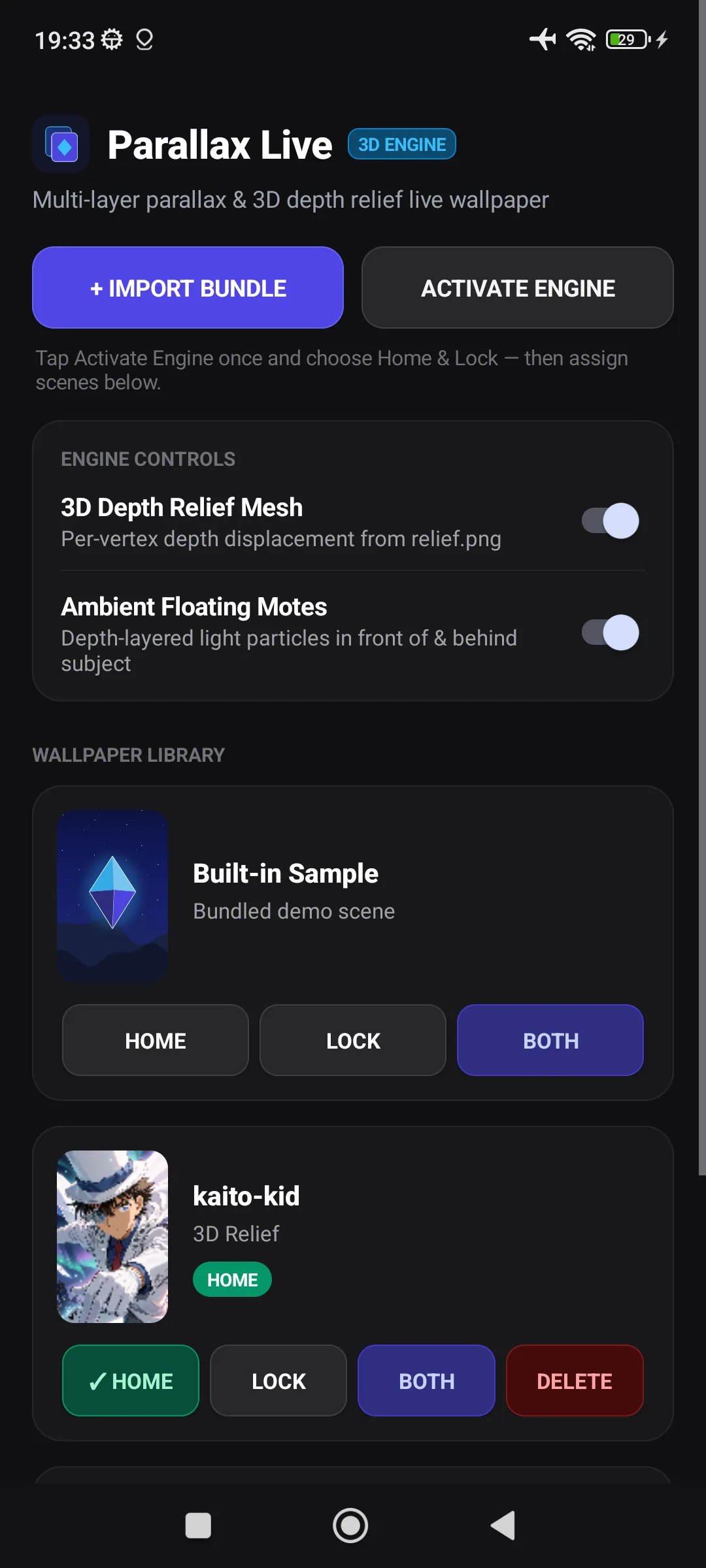
- Separate Home & Lock slots: assign different .wpbundle scenes to your Home screen and Lock screen, and toggle 3D relief or ambient motes on the fly.
Honest limitations: tilt axes assume portrait orientation, imported scenes load after the first unlock following a reboot, and optional sway.png / swing.png wind maps aren’t generated by pack_bundle.py yet.
4. Build It Yourself in One Command
You can build the entire engine from the source code in seconds on Linux or WSL2 with the Android SDK, JDK 11+, and Python 3 + Pillow (tested on Android 13 and HyperOS 3):
git clone https://github.com/Mitri45/parallax-live-wallpaper.git
cd parallax-live-wallpaper
./build.sh
adb install -r out/parallax-live.apk
It ships with a clean procedural sample scene out of the box. Once installed, copy any .wpbundle (or .zip) to your phone, tap + Import Bundle, tap Activate Engine once (choose Home & Lock), and switch scenes anytime from the library.
What’s Next?
I’m planning a few more technical write-ups from our local Rust + CUDA wallpaper studio:
- Why CFG=1 models (like Krea-2 and Flux) break traditional negative prompts — and how an automated prompt linter fixes it.
- Running native Rust + CUDA 13 diffusion on a 12 GB RTX 4070 with zero Python or ComfyUI.
Question for you: Would you use a ComfyUI node that exports .wpbundle files directly at the end of a workflow, or is a standalone CLI packer enough? Reply on X.
Original write-up: From AI Art to 3D Parallax Live Wallpapers on Android
Also on X: the same article.